
Deciding to close an online casino account is a personal choice. You may be taking a break from gambling, switching services, or simply no longer want a Jackpot City profile. For players in Canada, the safest approach is to use the account’s responsible-gambling or support options, confirm what happens to any balance, and keep a record of the closure request. The exact menus and procedures may vary depending on the site version and the province where you registered.
This guide explains how to request account closure, what to check beforehand, and what to do if you cannot sign in. It also distinguishes permanent closure from a temporary break or self-exclusion, since those options may have different consequences.
Before you request account deletion
Take a moment to review the account before contacting support. If you have a cash balance, pending withdrawal, active bonus, or unresolved transaction, ask how it will be handled. Casino terms can restrict withdrawals while identity or payment checks are incomplete, and promotional funds may be forfeited when an account closes.
- Check your balance: Note real-money funds separately from bonus funds and review any pending transactions.
- Save relevant records: Download or take screenshots of transaction history, account messages, and confirmation numbers you may need later.
- Review recurring payments: Check your payment provider for any saved or recurring arrangement. Do not assume that closing a casino profile automatically cancels a separate payment authorization.
- Consider a break or self-exclusion: If your goal is to stop gambling, ask about the strongest suitable restriction rather than treating ordinary account closure as a protective measure.
- Use verified contact details: Sign in through the official Jackpot City website or use contact information displayed there. Avoid links in unsolicited messages.
Do not send passwords, full card numbers, or security codes in an email or chat. Support may need to verify your identity, but use only the site’s approved process and provide the minimum information requested.
How to delete a Jackpot City account online
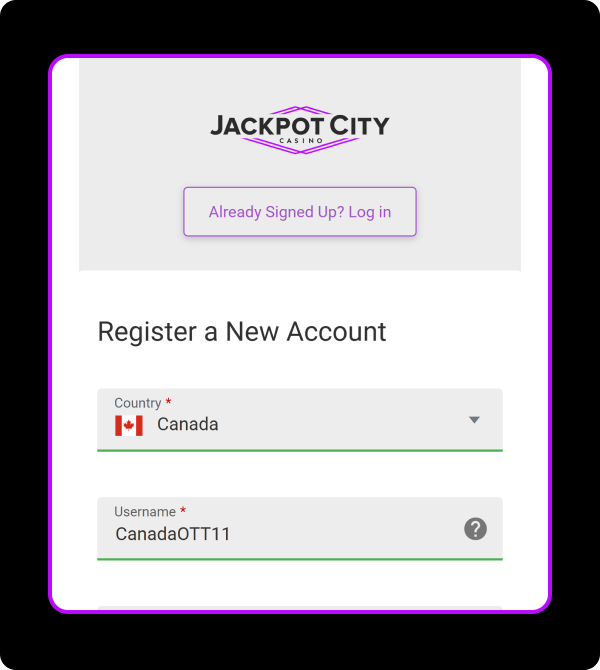
Sign in and look for account or safer-gambling settings
Open the official Jackpot City site and sign in if you can. Check the account menu for settings related to profile management, responsible gambling, limits, time-outs, or self-exclusion. Some gambling sites allow certain restrictions to be set directly, while permanent closure may require a request to customer support.
If the site provides a closure option, read the on-screen information carefully before confirming. Make sure you understand whether the action is temporary or permanent, whether you can withdraw any eligible balance first, and whether reopening the profile will be possible.
Contact customer support if there is no closure button
Use the support channel available on the official site, such as live chat or a contact form. State clearly that you want to close your account, and specify whether you mean permanent closure, a temporary time-out, or self-exclusion. If you are unsure which option fits your needs, ask support to explain the differences before proceeding.
For example, your message could say:
“I am the account holder and would like to request closure of my Jackpot City account. Please confirm whether this will be permanent, explain how any remaining eligible balance or pending withdrawal will be handled, and tell me if you need any verification from me. Please also confirm when the account is closed.”
Keep the message direct and factual. You generally do not need to provide a detailed personal explanation. If you are closing the account because gambling is causing harm, you can say so and request information about self-exclusion and support resources.
Complete identity checks through the approved channel
The operator may ask questions to confirm that you own the account. Follow the instructions given through the official website or verified support channel. If documents are requested, check that the upload destination is genuine and that the requested documents are relevant. Do not send sensitive documents to an address or contact supplied by an unverified third party.
Resolve balances and pending transactions
Ask support what happens to any withdrawable balance and whether an open withdrawal must be completed before closure. If you have a pending deposit, bonus, or disputed transaction, request written guidance. A closure request does not necessarily cancel a transaction already being processed, and promotional terms may affect bonus funds.
Keep copies of support replies and transaction references. If a withdrawal is delayed, ask for the reason and the next steps rather than repeatedly submitting the same request. Do not create another account to work around a delay or restriction; duplicate accounts can create additional verification and account issues.
Get written confirmation
When support confirms the request, save the message, date, and any case number. Ask whether you will receive a final confirmation after the account is disabled. If you do not hear back within the timeframe the company gave you, follow up through the official support channel and refer to your earlier request.
What if you cannot sign in?
If you have forgotten your password, use the official password-reset process rather than creating a new profile. If you no longer have access to the email address or phone number on file, contact support and explain the access problem. You may be asked to verify your identity before the account can be changed or closed.
If you suspect someone else has accessed your account, say so immediately. Change the password on your email account as well, especially if you used the same password in multiple places. Review recent account activity and payment-provider records, and report transactions you do not recognize to the relevant provider.
If the website is unavailable, use the support details previously saved from the official site or try again later. Be cautious of search advertisements, social-media accounts, or messages claiming to offer account deletion assistance. Never pay a third party to close a casino account.
Account closure, time-out, and self-exclusion
These options are not interchangeable. A standard closure generally disables access to the profile, but its precise scope depends on the operator’s rules. A time-out is usually a temporary restriction. Self-exclusion is intended as a stronger barrier for people who want to prevent themselves from gambling for a chosen period or longer. Ask how each option affects access to the account, marketing messages, and any future registration.
If you are closing your account because you are finding it difficult to control gambling, a simple account closure may not be enough. Ask support about self-exclusion, deposit or play limits, and how to block promotional contact. In Canada, available help and self-exclusion programs can differ by province. You can contact a provincial gambling-help service or a qualified health professional for confidential guidance.
Questions and answers
Can I delete my Jackpot City account without contacting support?
Possibly, if an account-management or responsible-gambling setting provides a closure option. If you cannot find one, contact official customer support and request the specific restriction you want.
Will I lose money in my account when it is closed?
Do not assume either outcome. Ask support to explain how eligible cash balances, pending withdrawals, bonus funds, and unresolved transactions will be handled before closure is finalized.
Can I reopen the account later?
That depends on the type of closure and the applicable terms. A temporary break may have an end date, while self-exclusion can involve stricter rules. Get the answer in writing before selecting an option.
Does closing my account stop all marketing messages?
Ask support to confirm how marketing preferences are handled. You can also use an unsubscribe link in promotional emails, but do not click links in messages that appear suspicious. Report unwanted marketing through the official channel if it continues after your request.
What should I do if support does not respond?
Keep a copy of your first request and follow up using another official support channel listed on the website. Include the date and case number, but avoid sending sensitive account details through public social-media posts. If the issue remains unresolved, consult the applicable provincial regulator or consumer-protection resources for guidance.
Closing checklist for Canadian players
- Decide whether you want permanent closure, a time-out, or self-exclusion.
- Review balances, withdrawals, bonuses, and payment arrangements.
- Use the official Jackpot City site and approved support channels.
- Complete any requested identity verification securely.
- Save your request, support replies, and final confirmation.
- Seek local gambling support if you are closing the account to protect your wellbeing.
Taking these steps can make the process clearer and help prevent avoidable delays; The most important point is to state exactly what restriction you want, ask how funds and pending transactions will be treated, and retain written confirmation of the outcome.
For players researching account access before signing up, the phrase CAJackpotCityPromoCodeRegistration may appear in promotional searches. A promo code is separate from account closure: it does not change the steps for disabling an existing profile, and promotional terms should never be a reason to continue gambling when you want to stop.
Commenti recenti